Session Control
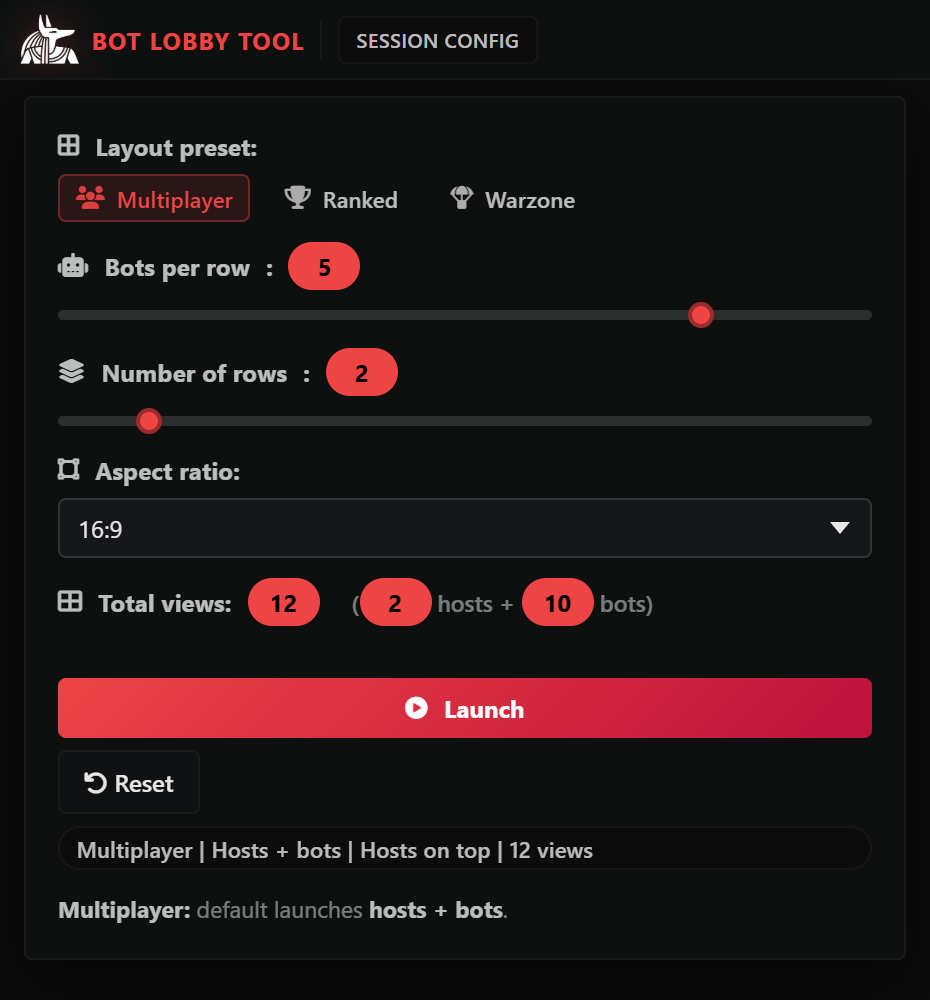
Run multi-view host/bot layouts with per-slot ownership, row actions, and fast focus switching.
 Bot Lobby Tool
Control every slot independently. Own every session. Built for professionals.
Discord
Buy
Bot Lobby Tool
Control every slot independently. Own every session. Built for professionals.
Discord
Buy
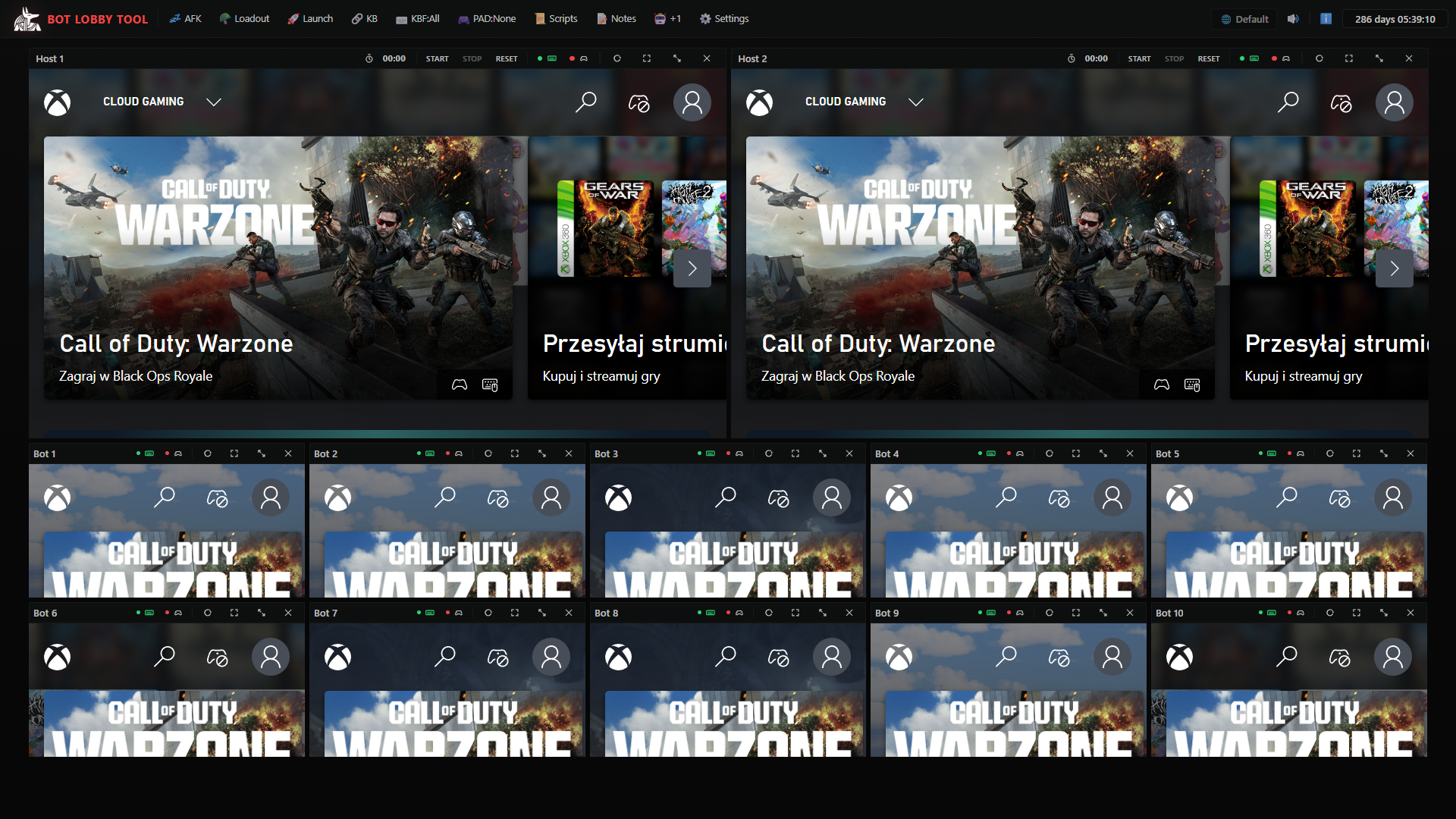
Bot Lobby Tool is a native Windows application built to run large Call of Duty bot lobby sessions from one PC. It unifies view launch, host/bot orchestration, keyboard and controller routing, script and macro automation, and live monitoring in one workflow from one PC. Bot Lobby Tool supports Call of Duty Multiplayer, Ranked, and Warzone, so you can control slots, tune behavior, and keep sessions consistent without constant window switching.
Run multi-view host/bot layouts with per-slot ownership, row actions, and fast focus switching.
Run script chains and macro modes with timing controls for repeatable sessions.
Track controller connection, selected region, host timers, and per-view input state in real time.
Host lobbies and play from one PC while the tool runs fully autonomously in the background.
Bot Lobby Tool supports Call of Duty Multiplayer, Ranked, and Warzone.
Run automated progression workflows and control host/bot views from one command surface. Host 6v6, 2v2, or custom lobby formats with per-row view customization.
Use repeatable presets, script chains, and input routing to keep ranked sessions consistent and stable.
Manage multi-view sessions with synchronized control, monitoring, and low-overhead operation. Supports up to 44 views.
A practical operator flow for stable, repeatable multi-view sessions.
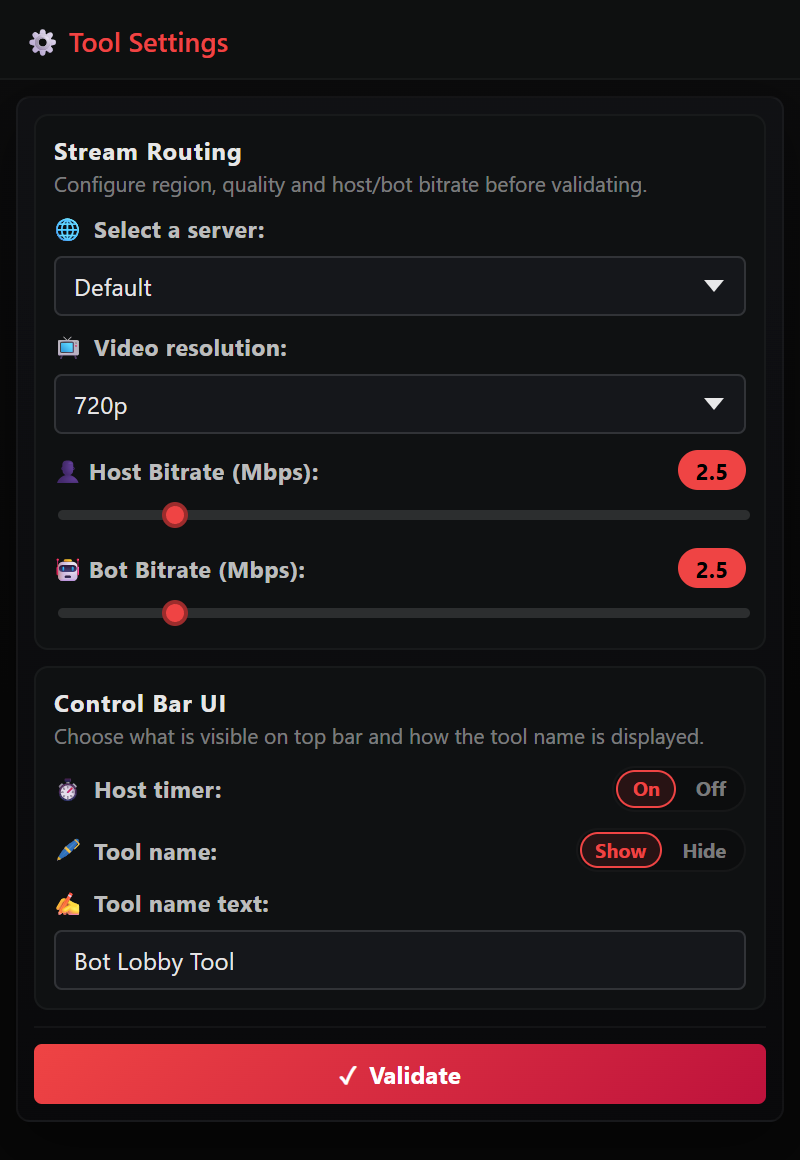
Set region, resolution, host/bot bitrate, and Control Bar UI options before launch.
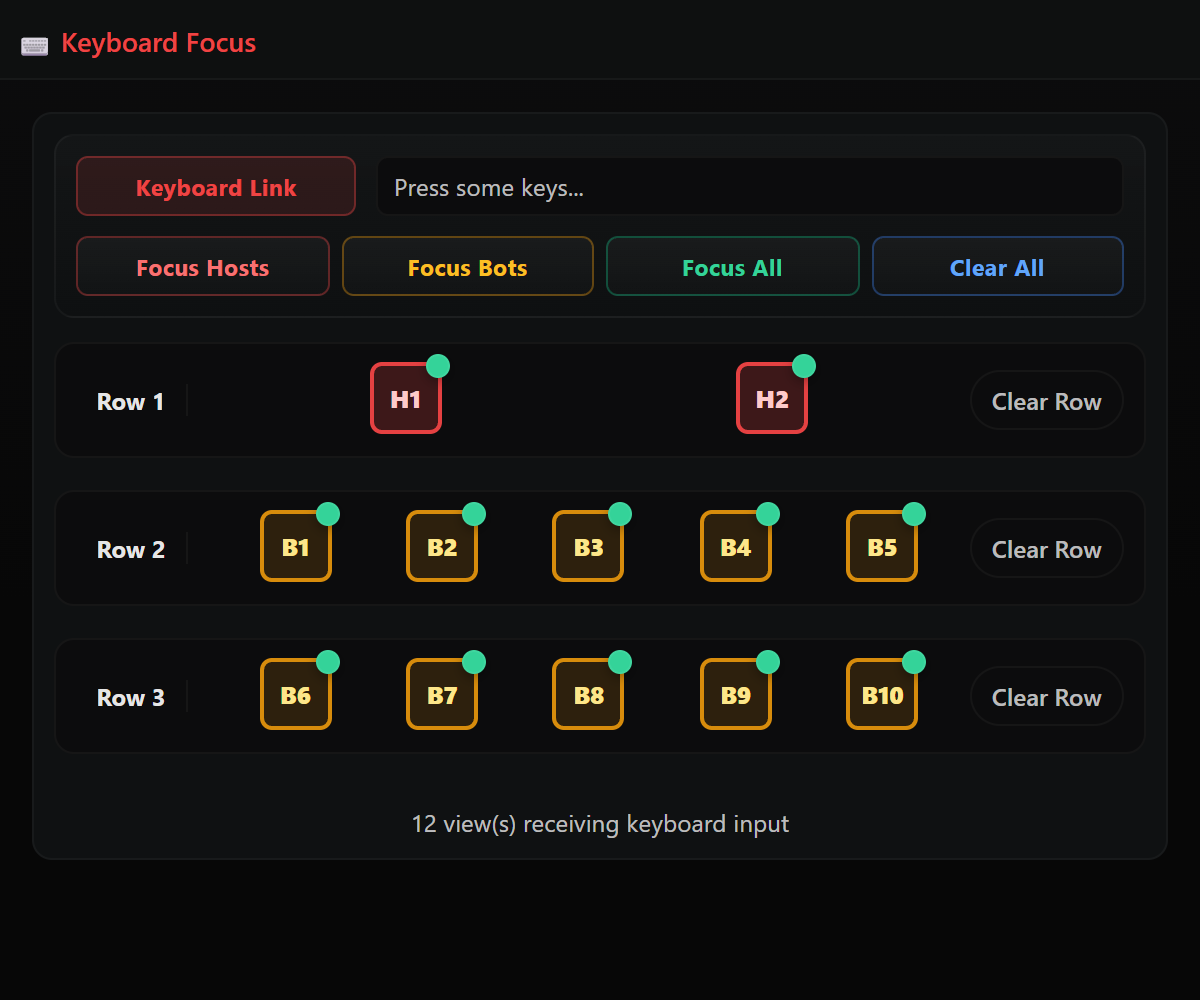
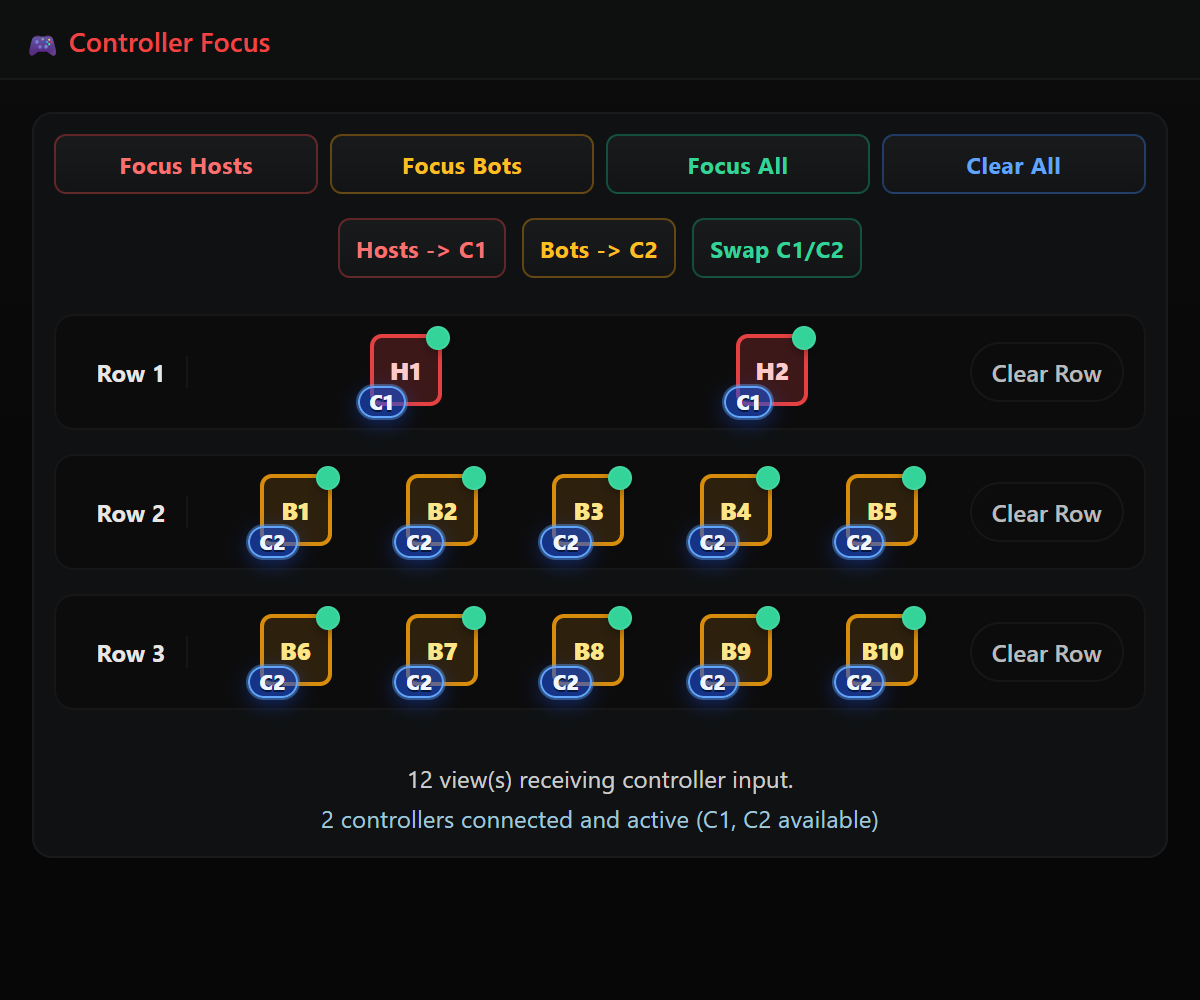
Use KB and PAD focus tools to target hosts, bots, rows, or all slots instantly.
Launch views and run AFK/movement macros or custom script presets with tuned timings.
Use the view control bar for timer visibility, reload, fullscreen, and fast per-view recovery.
Every feature below is rendered from your updated native app modules for live Call of Duty bot lobby workflows.
Main status lane for controller connection, selected region, mode context, and one-click access to AFK, focus, scripts, notes, and settings.
Run many host and bot views in one layout, launch slots quickly, and keep each slot independently controlled.
Configure region, resolution, host/bot bitrate, and control bar behavior, including host timer and tool-name visibility.
Map keyboard input to hosts, bots, full rows, or all views with clear active-state feedback.
Route controller ownership by host or bot slot, swap states instantly, and clear assignments by row or globally.
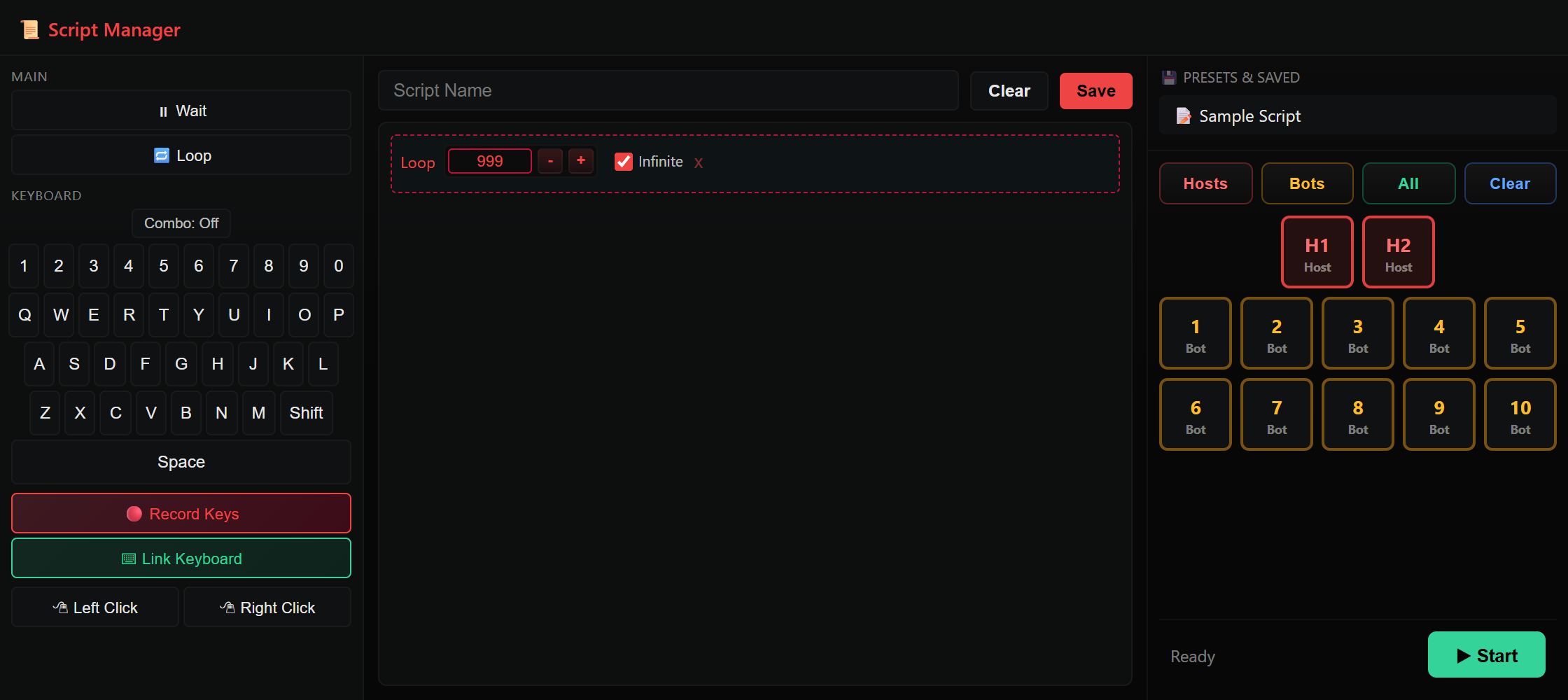
Create command chains with loops, waits, inputs, and movement; save and assign by group.
Run Random Move + Look or AFK Circle + Look, tune all timings live, and optionally trigger N (shoot) and M (field upgrade).
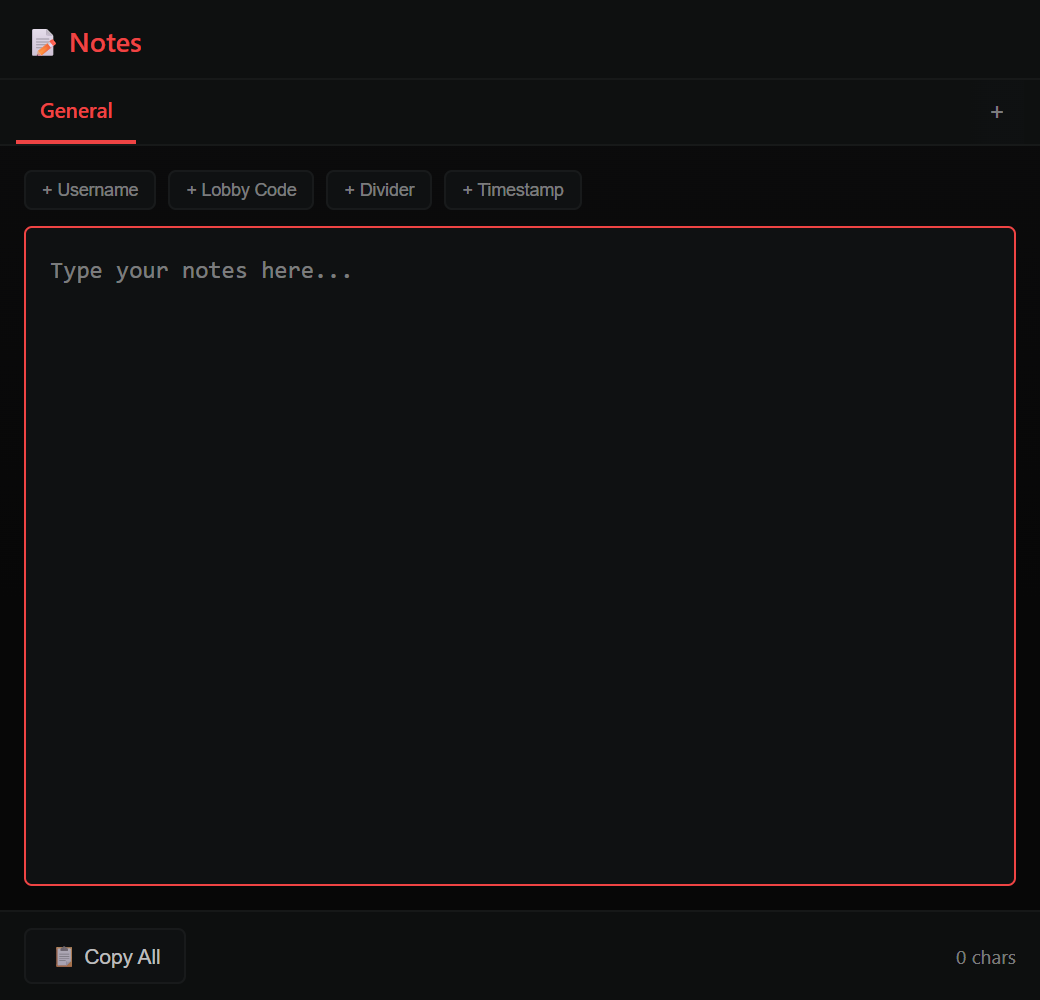
Use tabbed notes with templates, autosave, and copy-all to keep every run documented.
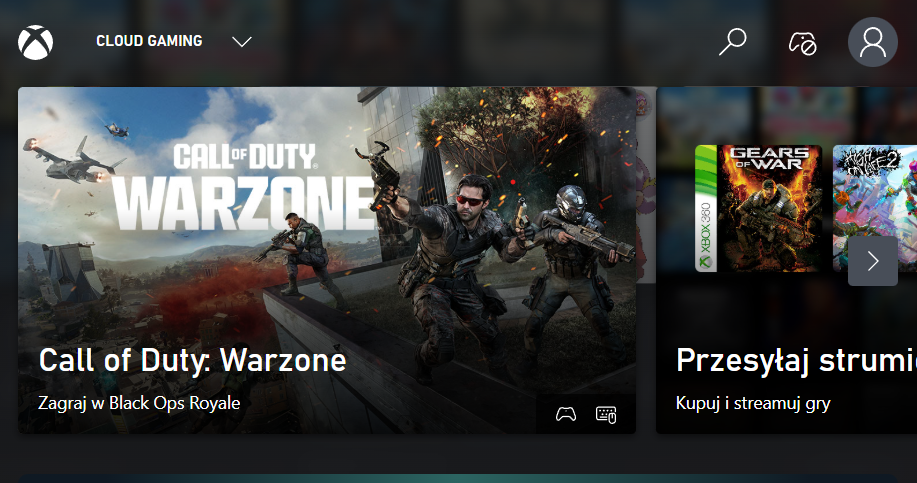
Per-view controls for keyboard sync state, controller slot state, host timer, reload, fullscreen, resize, and close.
Operational lanes to keep large Call of Duty bot lobby sessions stable and repeatable.
Real feedback from our vouches channel.
"OMG, this tool is amazing 🤩"
"Vouch for @Trials Carry and the tool. He helped me set everything up, including account creation from start to finish. He also helped me launch my first lobbies. Very worth it if you want to host your own lobbies for friends 🔥"
"100% legit. I was skeptical because I found it on Google, but I was amazed at how fast and easily my lobbies were delivered. Amazing pricing for what you get."
"@Trials Carry best bot lobby tool ever. Easy, fast, and quick. Got my nuclear calling card and camos done. Definitely using again 💪🏻"
"Thank you @Trials Carry for the help. He answered every question fast and got everything done quickly."
"@Trials Carry, thank you man. Anybody who doubts it, it's legit 🔥🔥 #FFA Nuke"
"Legit and fast delivery ✅🔥"
Simple plans. Choose your access window.
$10 USD
Fast access for short sessions and quick tests.
Buy 1 Day$25 USD
Best for active weekly grind workflows.
Buy 1 Week$50 USD
Stable monthly plan for regular operators.
Buy 1 Month$200 USD
One payment for 12 months of Bot Lobby Tool access.
Buy 1 YearExpand your workflow with premium method unlocks.
$50 USD
Extended-loop method tuned for long, stable lobby cycles.
Buy Infinity Method$50 USD
Dedicated Free-for-All nuke workflow method for repeatable runs.
Buy FFA Nuke Method$90 USD
Unlock both methods together at a lower combined price.
Buy BundleAll sales are final. We do not provide refunds.
We are not affiliated with Activision or Treyarch. All services are for entertainment and progression purposes only.
Requirements: A Windows PC and one Xbox Game Pass Ultimate subscription per host/bot view. Game Pass subscriptions are not included with Bot Lobby Tool.
Watch the latest Bot Lobby Tool v4 workflow in action.
Latest v4 Bot Lobby Tool demo from the official codboostme channel.
Discord-controlled Call of Duty lobby search tool for one host and one bot view.
$100 USD / month
Configure once. Let it run automatically. After setup, the bot handles customer flow, queue, status updates, cooldowns, and owner alerts so you can stay hands-off until you need to step in.
3 Box lets customers run your Call of Duty lobby search service directly from Discord, while you control everything from the desktop app.
Order Monthly3 Box Tool showcase with built-in Discord bot workflow.
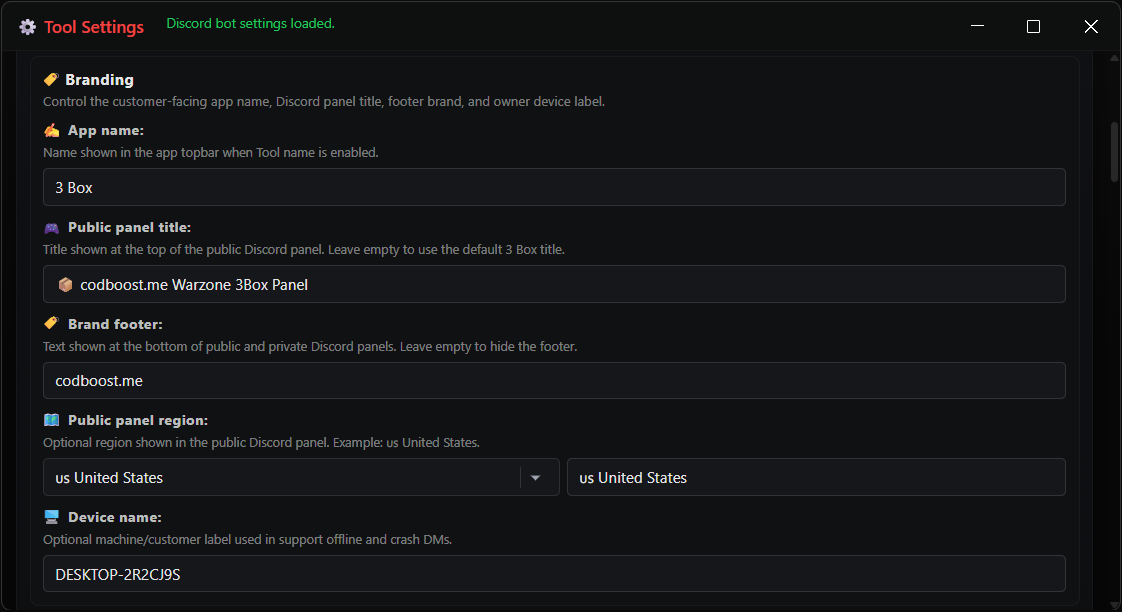
Customize the customer-facing name, public panel title, footer brand, region label, support identity, and device label from the settings panel.
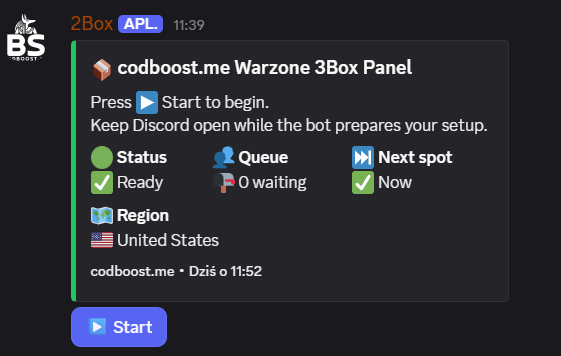
Customers see a clean branded panel in your Discord server with start flow, status, queue count, next spot, region, and footer brand.
All sales are final. We do not provide refunds.
Requirements: A Windows PC, Discord bot setup details, and one Xbox Game Pass Ultimate subscription per host/bot view. Subscriptions are not included.
Customer-facing answers for common pre-purchase questions.
Yes. The app supports per-view keyboard focus and per-view controller slot assignment.
Yes. Built-in macros handle frequent actions, and custom scripts let you build deeper flows.
Yes. The dashboard is designed for multi-view operation with quick per-slot controls.
No. Settings, focus presets, script and macro profiles, and control bar options can be reused to keep a consistent workflow.